




The top toolbar gives you quick ways to work with your projects and tasks as well as access to some other handy features of Power To-Do List.
|
Add Project: All of your tasks have to belong to a project. Use this button to add a new project. You can read more about working with projects here. |
|
Edit Project Name: Don't like the name you gave a project? Change it with this button. You can read more about working with projects here. |
|
Delete Project: Don't like a project at all? Or, did it get canceled? Whatever. Delete a project with this button. Note: if you delete a project, all of the tasks assigned to that project will be deleted as well. You can read more about working with projects here. |
|
Add Task: Add new tasks with this button (or by hitting the Insert key, or by right-clicking on the task area). You can read more about working with tasks here. |
|
Edit Task: This button brings up the Edit Task dialog for the selected task. Hint: If you have "In-Cell Editing" turned ON, you can edit most task fields right in the grid. You can read more about working with tasks here. |
|
Delete Task: Use this button to delete the selected task. You can read more about working with tasks here. |
|
Find Tasks: "What was that task........? Hmmmm....... I know it has something to do with Schmelker's promotion." I know! I'll use the "Find Tasks" button and search for "Schmelker". |
|
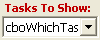
Tasks to Show: Use this drop-down to choose whether to show incomplete tasks, completed tasks, or both in the task list. |
|
Promote/Demote Task: In Project View, you can change the order of the tasks for any project. You can do it by dragging and dropping tasks, or by selecting a task and hitting one of these buttons. |
|
Quick Alarms: These are alarms that aren't connected to tasks. Read more about them here. |
|
Print/Preview: Brings up the Print/Preview dialog where you can choose from lots and lots and lots of different reports you can run on your tasks. Read more about reports here. |
|
Preview Pane: Toggles the Outlook style preview pane ON and OFF. |
|
Buy Now: Click this button and make all of your dreams come true... OK, maybe that was over the top. How about this? Click this button and make all of your tasks become complete. Clicking it will open a browser window and take you to our secure ordering page where you can purchase Power To-Do List. |