





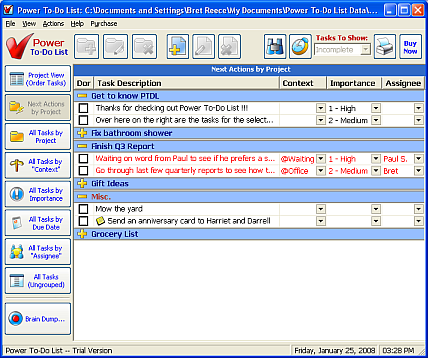
The grouped views are different than the Project View. They group all of your tasks by Project, Context (user definable field), Importance, Due Date, or Assignee (user definable field).
You can expand and contract groups by clicking on the yellow "+" or "-" in the first column or by double-clicking on the light blue group header row.
The Next Actions View is a bit of a special case. If you're familiar with David Allen's book "Getting Things Done - The Art of Stress-Free Productivity", you're already familiar with Next Actions. This view is identical to "All Tasks by Project", except that it only displays the top 1-3 tasks per project (you choose how many in the Options dialog.)
On all of the grouped views, you can right-click on a light blue header row and choose "Expand All" or "Contract All" to expand or contract all of the groups in the view.