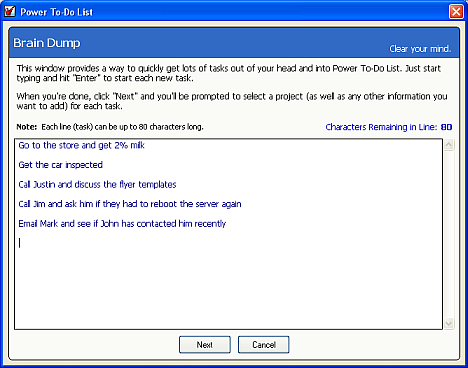
The Brain Dump, or as David Allen calls it in GTD, the Mind Sweep, is a way to get all of those pesky tasks bouncing around inside your head out of your head and into your trusted system (in this case, Power To-Do List).
Once they're out of your head, you can use your brain for what it's meant to do instead of as a filing cabinet.
The Brain Dump feature in Power To-Do List provides a quick way to enter several tasks into the program. Just start typing tasks, hitting ENTER between each one.
When you can't think of anything else you need to do, click "Next".
Power To-Do List will then display each task you entered, one-by-one, with the "project" field already dropped down and ready for you to choose a project for the task. You can also change anything else you want to change for each task here. Once you do that for each task, you're done.